Quick Video Examples – These links will take you to my Bulb portfolio to watch a few videos of work in action.
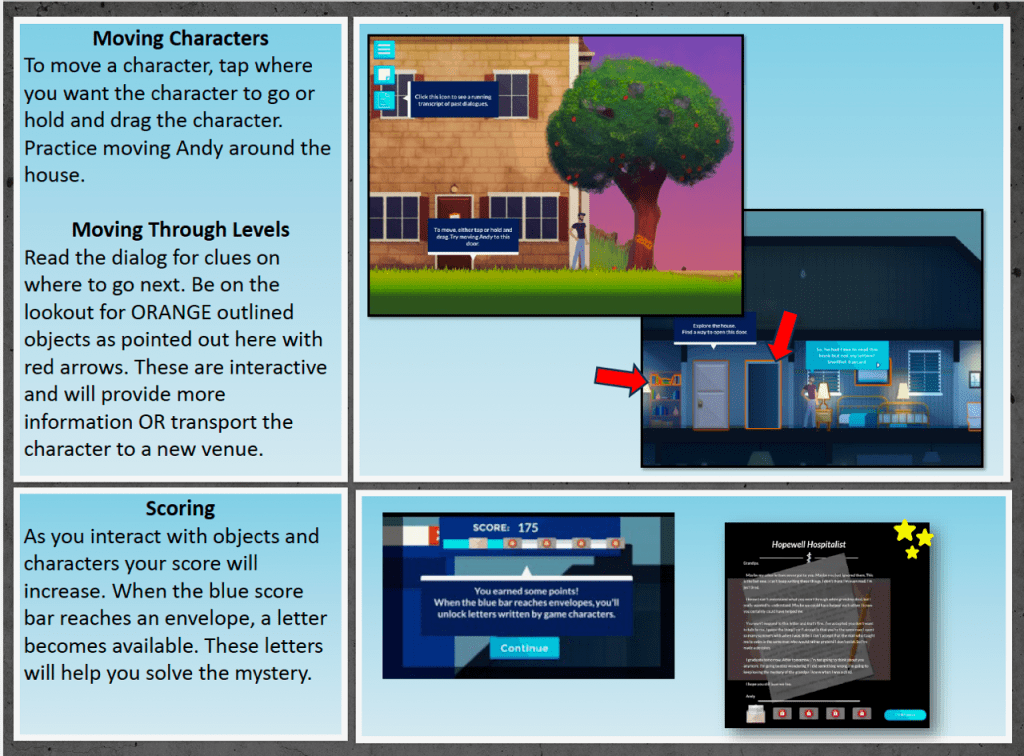
Instruction Handbook for Video Game
The client had built an instructional video game and was including both video and written instructions on operation. I used PowerPoint and created graphics, text, and links to the video instructions in the instructional manual. The style of the instruction manual was in a “comic book style” to match the animations of the game itself. The resulting .pdf file was deployed with the video game nation-wide.
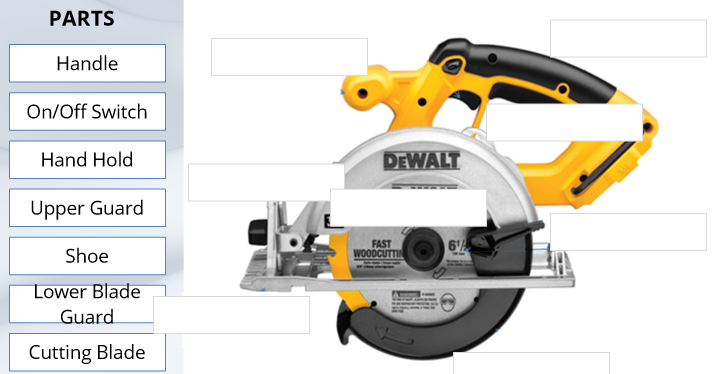
Storyline Example Micro-Lessons in Articulate Storyline
The instructors required an interactive engaging activity that would reinforce their lesson. The initial request was for a short item to breakup the long 3-hoiur lecture time. The resulting Storyline demonstration showed off various micro-lessons that could be used not only in face-to-face teaching but added into the LMS as stand alone activities to supplement objectives. The demonstration includes drag and drops, video with questions, fill-in information, and scenarios.



Differentiating Online Training Modalities in Articulate Rise
The situation was the staff were having trouble differentiating the types of courses offered. Sometimes they would confuse terminology and this confused the students’ expectations of the courses. A fast and asynchronous solution had to be developed to correct the terminology use and get everyone on the same page when meeting. This fully online micro-lesson designed in Storyline distributed the information and assessed the users understanding. Using the buttons, users could explore the differences of fully online design considerations, hybrid learning considerations, and hyflex learning and design considerations. This micro course designed in Articulate Storyline uses graphical images to define and differentiate various online training modalities.
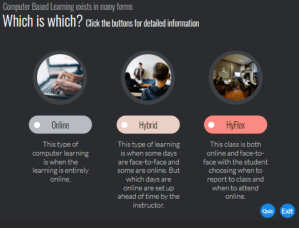
- Graphic based fully online micro-course
- Includes quiz assessment to ensure understanding
- Designed for leadership and staff in higher-education
Diversity, Equity and Inclusion Training in Articulate Rise
No existing DEI training was offered at the higher-education institute. This 10-part introduction to DEI concepts was designed to be housed on the school’s LMS and be accessible to both students and staff. The DEI training defined basic concepts using real scenarios that could take place in the classroom or workplace. It was specifically designed to be fully-online with asynchronous discussion questions housed on the LMS or synchronous discussions to be held face-to-face in an accompanying course. This unique design offers the flexibility of both fully online and hybrid modalities. This section of a course in Diversity, Equity, and Inclusion talks about unconscious bias and the effects of it in the classroom using real-world scenarios. The course defines unconscious bias and lists implications of it.
- Part of a 10-part online program created with Articulate Rise
- Real-life situations and current research statistics
- Use as both hybrid or fully-online learning modality

Notary Basics in Articulate Rise
 Notary law is long and complicated. This notary training consists of small readings and questions and answers which further highlight information needed for the notary exam. It breaks down the material into small chunks of information. The program is designed in Articulate Rise and consists of seven different lessons. This cartoon based reading and question and answer session covers the basic information needed to pass the Pennsylvania Notary Exam.

- Online program created with Articulate Rise
- Question and Answer based
- Fun cartoon feel
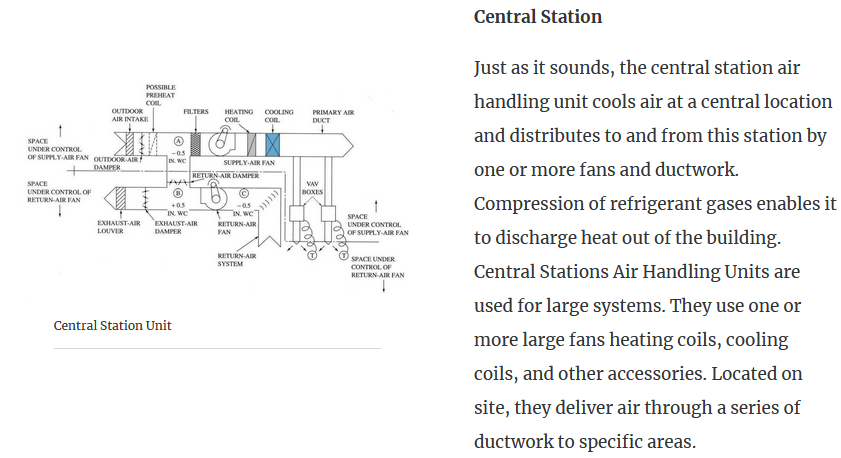
HVAC Training in Articulate Rise
The problem for this class was they were switching textbooks. The new text they were using did not have adequate coverage of commercial fans and large air conditioning units.
The challenge was to set up a course within a course to supplement the new textbook and transfer enough material on large commercial AC units. I designed, researched and wrote copy for the unit. I worked closely with a SME to correctly convey the material needed.
- Online course created using Articulate Rise
- Linked within student LMS for seamless lesson within the unit
- Concise and targeted
Traveling Student Packets: In Person Training Solution
The problem was dealing with traveling students during school time. Often they are away from the school learning about cultures or history of their adopted country. This means they miss important school material. The challenge was creating a learning space to take on travels to keep students focused on learning. The problem was to produce a lesson the student would be interested enough in to do during their travels, that would be self-contained and portable, and that would teach them the content.
The solution was personalized magazines covering the topics they would be missing. In this sample of introductory statistics the lessons involved contacting peers, using the internet and filling out pages of the magazine. All lessons were written as magazine articles. The majority of the statistic problems were activities. It was a complete workbook solution for the traveling teenager. They could work as they traveled minimizing the material missed while away from class and be interesting enough to work with enough direction to complete independently.
- Fun
- Interactive for student
- Personalized
- Informative
- Self-contained
- Works with or without internet connectivity
- Easily customizable to any lesson or age group

Leadership Development: In Person Training

The client wanted to introduce leadership concept to college students with no exposure to leadership. Students consisted of a variety of backgrounds and studied different majors varying from drama to business.
- Series of workshops
- Delivered during staff meetings
- Small lecture, activity, debrief
- Self Assessments
Hand arranging wood block stacking with icon leader business.
Caring for the Elderly in their Home: an Online Primer in Adobe Captivate

- Cartoon style
- Interactive lesson
- Light-hearted
- Meant for non-technical audience
This micro-lesson was created to demonstrate types of interactions possible in Adobe Captivate. Embedded in the lesson are multiple choice questions in different formats, true-false questions, drag and drop scenes, and explore and click interactions. The lesson demonstrates ways to prepare your home for living with an elderly person in a fun way in a cartoon style.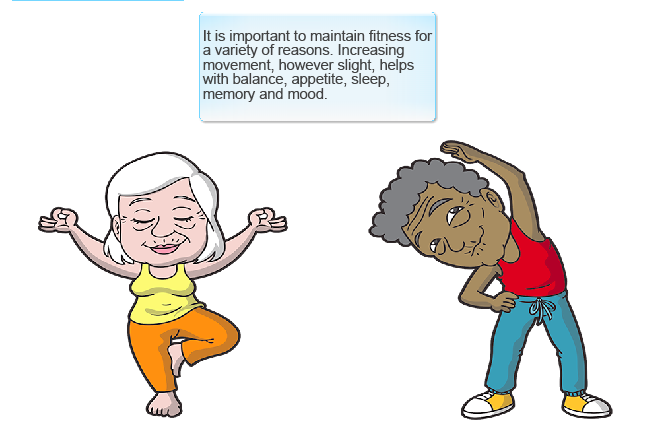
Micro-lesson Demonstrating Grade Entry: Online Training in Adobe Captivate
This solves the problem of people forgetting how to enter grade codes properly while they are on summer break. I created video of workflow for entering time codes. The lesson had to be central allowing students to access when needed throughout the year.
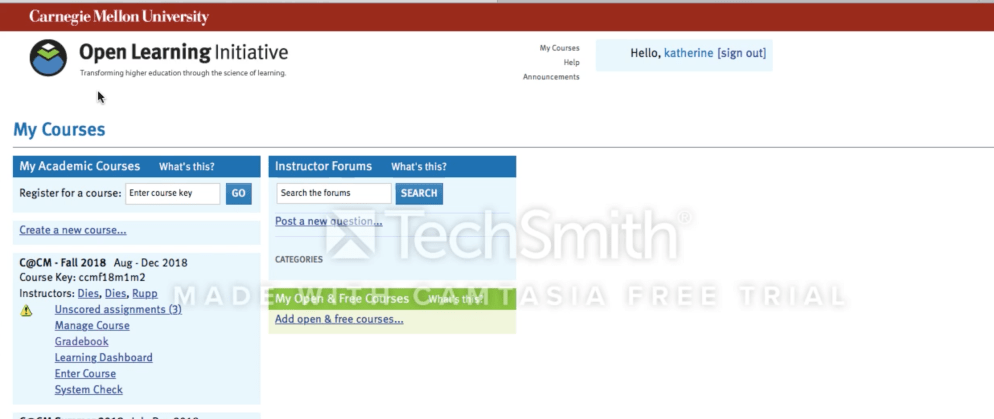
- Micro-lesson using Captivate to be used as a “just-in-time learning module”.
- Accessible through Canvas LMS course throughout semester
- Covered only what was needed to know at the time for entering grades.
- Consisted of a demonstration with no user actions required, an interactive lesson, and an assessment.
 Katherine Senko